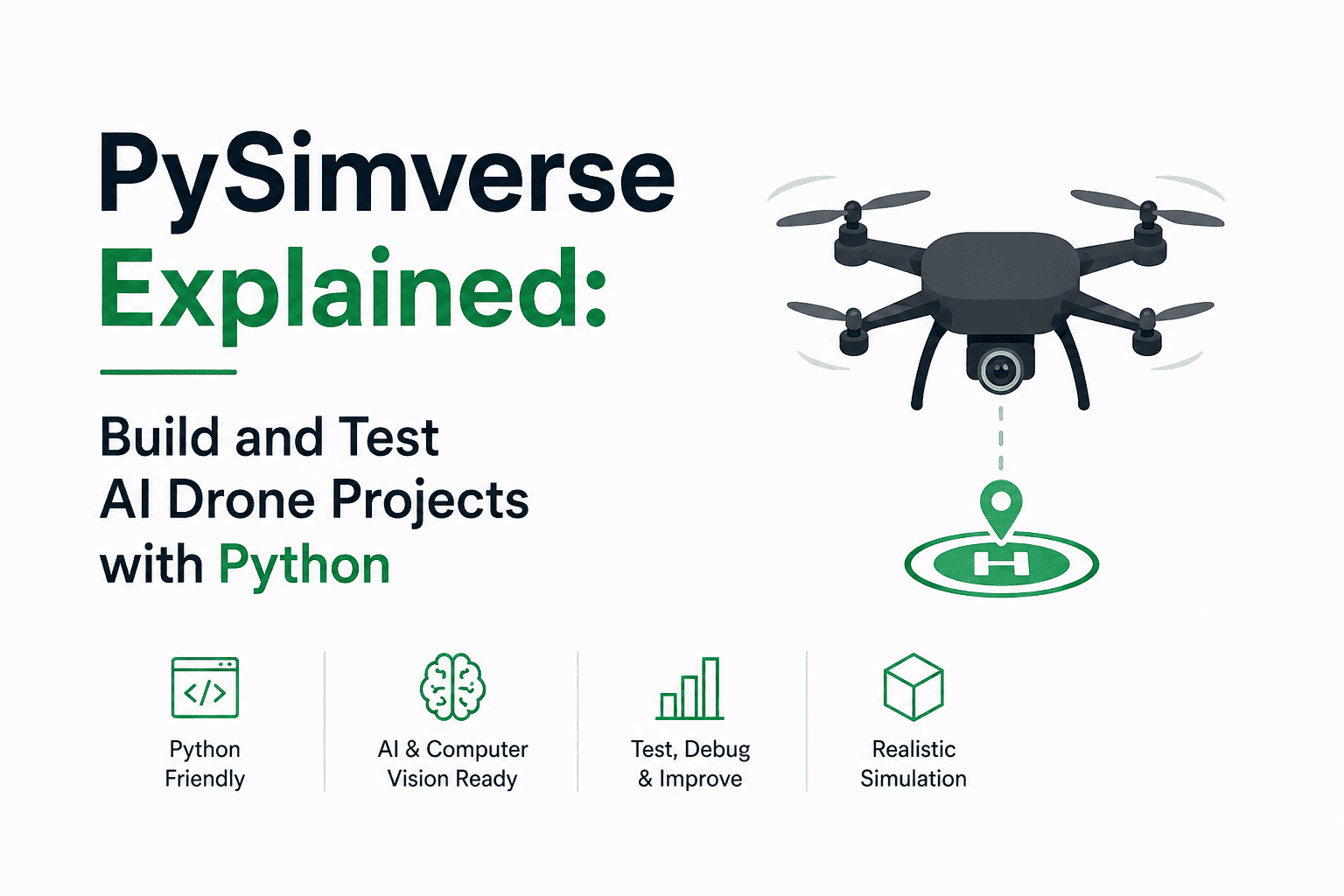
PySimverse Explained: Build and Test AI Drone Projects with Python
Drone technology is becoming an important part of modern Artificial Intelligence, robotics, computer vision, and autonomous systems.
But developing software for a real drone can be expensive and risky.
A real drone can crash, batteries need to be charged, hardware can be damaged, and testing autonomous algorithms in uncontrolled environments can be difficult.
This is where PySimverse becomes useful.
PySimverse is a Python-powered drone simulation environment designed for learning and developing drone-control and AI applications without requiring physical drone hardware. It provides a simulated environment where developers can write Python code, control virtual drones, access camera data, and experiment with autonomous behaviors.
The project is also available as a Python package named pysimverse; its PyPI listing describes it as a Python Computer Vision and Robotics Simulator.
In this article, we will learn what PySimverse is, how it works, how to control a simulated drone with Python, and how it can be combined with AI and computer vision.
What Is PySimverse?
PySimverse is a virtual environment for programming drones using Python.
Instead of immediately connecting your code to a physical drone:
Python Code
     ↓
Real Drone
     ↓
Possible Crash
you can use:
Python Code
     ↓
PySimverse
     ↓
Virtual Drone
     ↓
Simulation
This allows developers to test algorithms without risking physical hardware.
The platform is designed around Python-driven drone control and supports computer-vision-oriented workflows. Its website highlights camera simulation, physics, Python APIs, telemetry, environment customization, and multi-drone simulation.
Why Use a Drone Simulator?
Suppose you want to build an autonomous drone.
You might want the drone to:
Take off automatically
Navigate through an environment
Detect people
Follow a person
Detect vehicles
Avoid obstacles
Follow a line
Capture images
Track animals
Deliver objects
Coordinate with other drones
Testing these ideas directly on hardware can be difficult.
With simulation, you can experiment much faster.
For example:
Write Code
    ↓
Run Simulation
    ↓
Observe Drone
    ↓
Find Problem
    ↓
Modify Code
    ↓
Run Again
If the virtual drone crashes:
Reset
and try again.
This makes simulation especially useful for learning and algorithm development.
PySimverse and Python
One of the important aspects of PySimverse is its Python interface.
The basic usage can look like:
from pysimverse import Drone

drone = Drone()

drone.connect()

drone.take_off()
This creates a drone object, connects to the simulator, and commands the virtual drone to take off. The PySimverse website uses this same basic pattern in its introductory example.
The package is available through PyPI as pysimverse.
Installing PySimverse
The package can be installed with pip:
pip install pysimverse
A current PyPI release is listed as version 0.14, with Python >=3.7 specified in its package metadata.
You can then test the installation:
import pysimverse

print("PySimverse installed successfully!")
If the package imports successfully, you can start building your simulation code.
Creating a Drone
The first step is creating a drone object.
from pysimverse import Drone

drone = Drone()
Here:
Drone()
creates the Python object representing the simulated drone.
You can then connect it to the simulation:
drone.connect()
The basic structure becomes:
from pysimverse import Drone

drone = Drone()

drone.connect()
Taking Off
After connecting to the simulator, the drone can be commanded to take off.
from pysimverse import Drone

drone = Drone()

drone.connect()

drone.take_off()
The flow is:
Create Drone
     ↓
Connect
     ↓
Take Off
     ↓
Drone becomes airborne
This is the foundation for more advanced autonomous missions.
Moving the Drone
A drone simulator becomes much more interesting when we start controlling its movement.
A typical mission might look conceptually like:
Take Off
   ↓
Move Forward
   ↓
Move Right
   ↓
Rotate
   ↓
Move Forward
   ↓
Land
For example:
from pysimverse import Drone

drone = Drone()

drone.connect()

drone.take_off()

drone.move_forward(200)

drone.move_right(150)

drone.land()
The exact movement commands and supported parameters should be checked against the version of PySimverse you are using.
A Complete Basic Mission
Let's combine the basic operations.
from pysimverse import Drone

drone = Drone()

# Connect to simulator
drone.connect()

# Take off
drone.take_off()

# Move forward
drone.move_forward(200)

# Move right
drone.move_right(150)

# Land
drone.land()
The program follows:
Connect
   ↓
Take Off
   ↓
Forward
   ↓
Right
   ↓
Land
This is a simple example of programmatic drone control.
Instead of manually controlling the drone, the Python program determines what the drone should do.
Autonomous Drone Programming
The real power of PySimverse appears when we stop giving the drone a fixed sequence of commands and start making decisions based on sensor or camera information.
For example:
Camera
   ↓
Image
   ↓
Computer Vision
   ↓
Decision
   ↓
Drone Command
Imagine a drone camera detects an object on the left.
The program could decide:
Object Left
    ↓
Move Left
If the object is on the right:
Object Right
    ↓
Move Right
If the object is centered:
Object Center
    ↓
Move Forward
This creates the foundation for autonomous drone behavior.
PySimverse + Computer Vision
PySimverse can be used together with computer-vision libraries such as OpenCV.
The overall architecture can look like:
                PySimverse
                    │
                    ↓
              Virtual Drone
                    │
                    ↓
                 Camera
                    │
                    ↓
                Video Frame
                    │
                    ↓
                 OpenCV
                    │
                    ↓
             AI / Detection
                    │
                    ↓
             Decision Logic
                    │
                    ↓
             Drone Movement
The PySimverse website specifically highlights integration with OpenCV, NumPy, PyTorch, YOLO, and other AI-oriented tooling.
Capturing Camera Frames
One of the most useful capabilities for AI drone projects is access to the simulated drone camera.
A camera frame can be represented as an image:
frame = drone.get_frame()
You can then process the frame using OpenCV.
For example:
import cv2

frame = drone.get_frame()

if frame is not None:
    cv2.imshow(
        "Drone Camera",
        frame
    )

    cv2.waitKey(1)
This creates a pipeline where the simulated drone becomes the camera platform for your computer-vision algorithm.
PySimverse + OpenCV
OpenCV can process the camera image.
For example:
import cv2

frame = drone.get_frame()

if frame is not None:

    gray = cv2.cvtColor(
        frame,
        cv2.COLOR_BGR2GRAY
    )

    cv2.imshow(
        "Camera",
        gray
    )

    cv2.waitKey(1)
The process is:
Drone Camera
     ↓
Frame
     ↓
OpenCV
     ↓
Image Processing
This can be used as the first step toward AI-based navigation.
PySimverse + YOLO
One of the most interesting combinations is:
PySimverse
+
Python
+
OpenCV
+
YOLO
YOLO can detect objects in the drone's camera feed.
For example:
Drone Camera
      ↓
YOLO
      ↓
Person Detected
      ↓
Calculate Position
      ↓
Control Drone
A simplified YOLO example using Ultralytics might look like:
from ultralytics import YOLO

model = YOLO("yolo11n.pt")

results = model(frame)

for result in results:

    boxes = result.boxes

    for box in boxes:

        print(box.xyxy)
        print(box.conf)
        print(box.cls)
The exact model name and API can vary depending on the YOLO package/version being used.
Building a Person-Following Drone
Let's imagine we want to create a person-following drone.
The system can be designed as:
Virtual Drone
      ↓
Camera
      ↓
YOLO Person Detection
      ↓
Find Person
      ↓
Calculate Person Position
      ↓
Decision
      ↓
Drone Movement
Suppose the camera image has width:
640 pixels
The center is:
320 pixels
If YOLO detects a person whose center is:
200 pixels
the person is on the left.
The drone could move left.
If the center is:
440 pixels
the person is on the right.
The drone could move right.
Conceptually:
if person_x < image_center - threshold:
    drone.move_left()

elif person_x > image_center + threshold:
    drone.move_right()

else:
    drone.move_forward()
This is a simple example of a visual feedback control loop.
The Drone AI Control Loop
An autonomous drone often works through a continuous loop:
┌─────────────────────┐
│   Capture Frame     │
└──────────┬──────────┘
           ↓
┌─────────────────────┐
│   Detect Objects    │
└──────────┬──────────┘
           ↓
┌─────────────────────┐
│   Analyze Position  │
└──────────┬──────────┘
           ↓
┌─────────────────────┐
│   Make Decision     │
└──────────┬──────────┘
           ↓
┌─────────────────────┐
│   Move Drone        │
└──────────┬──────────┘
           │
           └──────────────→ Repeat
This is one of the most important patterns in autonomous robotics.
Example: Object Tracking
Suppose YOLO detects a car.
The detection returns a bounding box:
x1
y1
x2
y2
We can calculate the center:
center_x = (x1 + x2) / 2
center_y = (y1 + y2) / 2
Then compare it with the center of the camera.
image_center_x = frame.shape[1] / 2

error_x = center_x - image_center_x
Now:
error_x < 0
means the object is to the left.
error_x > 0
means the object is to the right.
The drone can use this information to adjust its movement.
Example Tracking Logic
A simplified controller might look like:
threshold = 50

if error_x < -threshold:

    drone.move_left(50)

elif error_x > threshold:

    drone.move_right(50)

else:

    drone.move_forward(50)
This is not a complete production flight controller, but it demonstrates the fundamental idea.
The AI provides perception.
The control algorithm converts perception into movement.
PySimverse + AI
The architecture can therefore become:
              AI Drone System

                    ↓

              PySimverse
                    ↓
              Virtual Drone
                    ↓
                Camera
                    ↓
             Computer Vision
                    ↓
             YOLO / AI Model
                    ↓
            Object Detection
                    ↓
             Decision System
                    ↓
             Control Algorithm
                    ↓
              Drone Movement
This makes PySimverse useful for experimenting with AI-powered autonomous systems.
Multi-Drone Simulation
Another interesting application is multi-drone simulation.
Instead of controlling one drone:
Drone 1
you can experiment with multiple simulated drones:
Drone 1
Drone 2
Drone 3
Drone 4
...
The PySimverse platform highlights multi-drone swarm simulation as one of its capabilities.
This opens the door to projects involving:
Drone formations
Swarm intelligence
Coordinated movement
Search and rescue
Surveillance
Drone shows
Distributed sensing
Drone Swarm Example
Imagine four drones:
        Drone 1

Drone 2        Drone 3

        Drone 4
A Python program can define their positions and movement.
Conceptually:
drones = [
    drone1,
    drone2,
    drone3,
    drone4
]

for drone in drones:

    drone.take_off()
Then the program can coordinate their movements.
For example:
All drones take off
        ↓
Move into formation
        ↓
Rotate formation
        ↓
Move forward
        ↓
Land
This type of simulation can be useful for studying swarm behavior before deploying algorithms to real systems.
Drone Shows
A drone light show is another interesting application.
Instead of fireworks, multiple drones can be programmed to form patterns.
For example:
Stage 1

●   ●   ●
  ●   ●
●   ●   ●
Then:
Stage 2

●       ●
  ●   ●
    ●
  ●   ●
●       ●
The same concept can be tested inside a simulator before real drones are used.
PySimverse also highlights drone-show scenarios and multi-drone applications.
Environment Simulation
A major advantage of simulation is the ability to test different environments.
A drone could potentially be tested in:
Indoor Environment
Urban Environment
Agricultural Environment
Warehouse
Outdoor Area
Obstacle Course
The PySimverse platform describes customizable 3D environments, dynamic lighting, and variable weather conditions as part of its simulation capabilities.
This is important because AI systems need to handle changing environments.
Why Simulation Is Important for AI
Imagine training an autonomous drone only in perfect conditions.
The drone might work well when:
Clear Lighting
No Obstacles
No Wind
Simple Environment
But fail when:
Low Lighting
Obstacles
Weather Changes
Crowded Environment
Simulation allows developers to create many different test scenarios.
This helps identify weaknesses before attempting real-world deployment.
Telemetry and Data
Autonomous systems need data.
Telemetry can include information such as:
Position
Velocity
Altitude
Orientation
Battery State
Movement
Camera Data
PySimverse highlights real-time telemetry and data logging, including export options such as CSV or JSON, for analysis and machine-learning workflows.
For example, data could be saved:
import json

telemetry = {
    "x": 10,
    "y": 20,
    "altitude": 5
}

with open(
    "telemetry.json",
    "w"
) as file:

    json.dump(
        telemetry,
        file
    )
You can later analyze this data using Python.
Using NumPy
Numerical calculations are common in robotics.
For example:
import numpy as np

position = np.array([
    10,
    20,
    5
])

target = np.array([
    50,
    30,
    10
])

distance = np.linalg.norm(
    target - position
)

print(distance)
NumPy can therefore be used for:
Position calculations
Distance calculations
Vector operations
Trajectory planning
Control algorithms
The PySimverse platform specifically mentions NumPy integration.
A Simple Autonomous Mission
Let's combine the ideas into a conceptual mission.
from pysimverse import Drone

drone = Drone()

drone.connect()

drone.take_off()

# Navigate through the environment
drone.move_forward(200)

drone.move_right(100)

drone.move_forward(200)

drone.land()
The important idea is that the mission is defined by code.
The drone does not need a human pilot for every movement.
This is the beginning of autonomous drone programming.
From Fixed Commands to AI
There is a major difference between these two approaches.
Fixed Programming
Take off
 ↓
Move forward
 ↓
Move right
 ↓
Land
The drone follows a predefined sequence.
AI-Based Programming
Camera
 ↓
Detect Environment
 ↓
Understand Situation
 ↓
Choose Action
 ↓
Move
 ↓
Observe Again
 ↓
Choose Next Action
This second approach is much closer to autonomous robotics.
PySimverse Project Ideas
Once you understand the basics, you can build many projects.
1. Person Detection Drone
Camera
 ↓
YOLO
 ↓
Person Detection
 ↓
Track Person
2. Animal Tracking
Camera
 ↓
Object Detection
 ↓
Animal Detection
 ↓
Tracking
3. Vehicle Tracking
Camera
 ↓
YOLO
 ↓
Vehicle Detection
 ↓
Follow Vehicle
4. Line-Following Drone
Camera
 ↓
OpenCV
 ↓
Detect Line
 ↓
Calculate Position
 ↓
Move Drone
5. Gesture-Controlled Drone
Camera
 ↓
Hand Detection
 ↓
Gesture Recognition
 ↓
Drone Command
6. Obstacle Avoidance
Sensors / Camera
       ↓
Obstacle Detection
       ↓
Distance Estimation
       ↓
Avoidance Algorithm
       ↓
Drone Movement
7. Autonomous Delivery
Start
 ↓
Take Off
 ↓
Navigate
 ↓
Find Destination
 ↓
Deliver Payload
 ↓
Return
 ↓
Land
8. Drone Swarm
Drone 1 ─┐
Drone 2 ─┤
Drone 3 ─┼→ Coordination Algorithm
Drone 4 ─┘
PySimverse for Learning Robotics
PySimverse is particularly useful for students and developers who want to learn robotics without immediately purchasing expensive hardware.
You can focus on:
Python
+
Computer Vision
+
AI
+
Robotics
+
Control Systems
before moving to physical drones.
The platform is designed around this bridge between Python software and autonomous drone behavior.
PySimverse vs Real Drone
FeatureReal DronePySimverseHardware requiredYesNo physical drone requiredCrash riskYesVirtualBatteryRequiredNot a physical limitationTestingReal-worldSimulationPython experimentationDepends on hardwareCore workflowComputer visionPossibleDesigned for simulation workflowsMulti-drone experimentsExpensiveSimulatedEnvironment controlLimitedHighly configurableRapid testingMore difficultEasier
Simulation does not completely replace real-world testing.
Instead, it can reduce the amount of risky and expensive experimentation required before moving to physical hardware.
Limitations of Simulation
Simulation is powerful, but it is not identical to reality.
A simulated environment may not perfectly reproduce:
Real wind
Sensor noise
Hardware delays
Camera imperfections
Motor behavior
GPS errors
Communication failures
Physical obstacles
Unexpected environmental conditions
This creates an important robotics problem known as:
Sim-to-Real
An algorithm that works perfectly in simulation may behave differently on a physical drone.
Therefore, a practical workflow is:
Simulation
    ↓
Algorithm Testing
    ↓
Validation
    ↓
Hardware Testing
    ↓
Real-World Deployment
Simulation should be considered a development and testing tool, not a guarantee that an algorithm will work perfectly in the physical world.
The Future of AI Drone Development
AI and drones are becoming increasingly connected.
Future autonomous drone systems can combine:
Computer Vision
+
Machine Learning
+
Large AI Models
+
Navigation
+
Robotics
+
Simulation
A future autonomous drone might be able to:
Understand Environment
        ↓
Detect Objects
        ↓
Plan Route
        ↓
Avoid Obstacles
        ↓
Complete Mission
        ↓
Adapt to Changes
Simulation environments such as PySimverse provide a place to experiment with these ideas before deploying them to physical systems.
Key Takeaways
PySimverse is a Python-oriented virtual drone simulation environment designed for robotics, computer vision, and autonomous-system development.
The core workflow is:
Python
  ↓
PySimverse
  ↓
Virtual Drone
  ↓
Camera / Telemetry
  ↓
AI / Computer Vision
  ↓
Decision
  ↓
Drone Control
The most important concepts to understand are:
Drone simulation
Python-based control
Camera processing
Computer vision
YOLO object detection
Autonomous navigation
Telemetry
Multi-drone coordination
Swarm intelligence
Sim-to-real development
Conclusion
PySimverse provides an interesting way to learn and experiment with autonomous drone programming using Python.
Instead of starting with expensive physical hardware, developers can first build their algorithms in a simulated environment.
The real power comes from combining PySimverse with technologies such as:
Python
OpenCV
NumPy
PyTorch
YOLO
AI
A simple drone can evolve from:
Take Off
 ↓
Move
 ↓
Land
into an intelligent autonomous system:
Camera
 ↓
AI Perception
 ↓
Object Detection
 ↓
Decision Making
 ↓
Navigation
 ↓
Drone Control
 ↓
Mission Completion
That makes PySimverse more than just a drone simulator. It can serve as a practical environment for learning how Python, computer vision, AI, and robotics work together to create autonomous systems.
For anyone interested in AI-powered drones, robotics, or computer vision, learning simulation before moving to real hardware can be a valuable development path.